Typknotic - Your typing assistant
A downloadable productivity tool
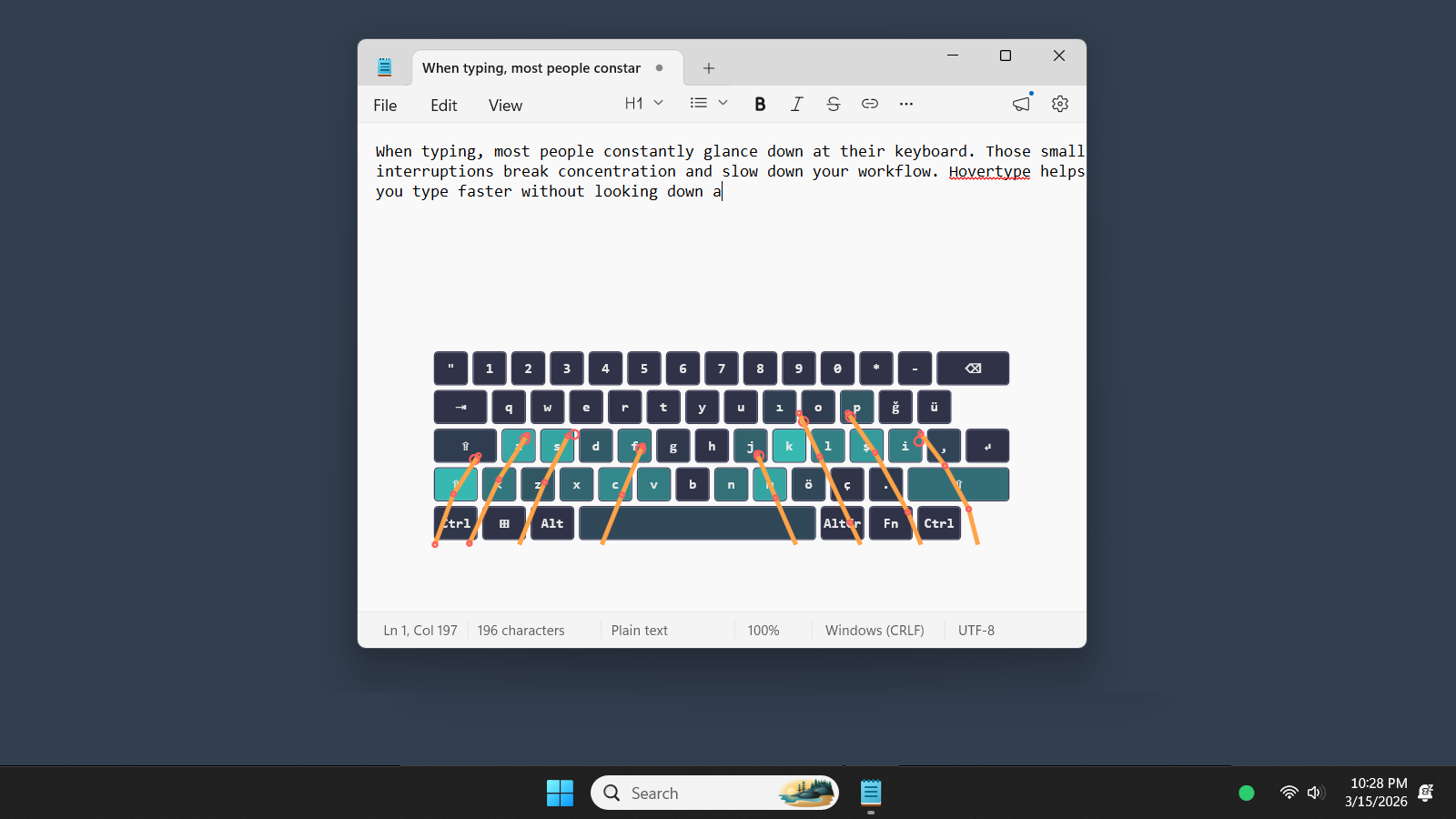
When typing, most people constantly glance down at their keyboard. Those small interruptions break concentration and slow down your workflow. Typknotic helps you type faster without looking down at your keyboard.
Using your webcam, Typknotic tracks your hands and displays a virtual keyboard overlay on your screen. This allows you to keep your eyes on the monitor while typing, improving typing speed, accuracy, and workflow efficiency.
Using your webcam, Typknotic tracks your hands and highlights keys under your fingertips on a virtual keyboard directly on your monitor. This simple change dramatically improves typing flow, reduces mistakes, and keeps you focused on what matters.
The result;
• Smoother typing
• Fewer interruptions
• Better accuracy
Ideal for
• Students taking lecture notes
• Developers and programmers
• Writers and researchers
• Anyone learning touch typing
• Users who frequently switch focus between keyboard and screen
• Anyone who wants to type faster with fewer mistakes
Requirements;
1. A keyboard with Latin alphabet. (All western European and American keyboard layouts) Letters should be clearly visible on the keycaps)
2. A webcam (Requires to be able to rotate freely to be directed at the keyboard. Recommended webcams have >60 degrees of FOV, min 30 FPS record speed, min 480px resolution (ie. 640x480 px))
3. A GPU with DirectX12 (DirectML) capability. (Tested GPUs: 4090 RTX, 3070 RTX, 5060 RTX Mobile, 1080 GTX and Radeon RX 580)
4. Windows 10 or newer OS
Available on